
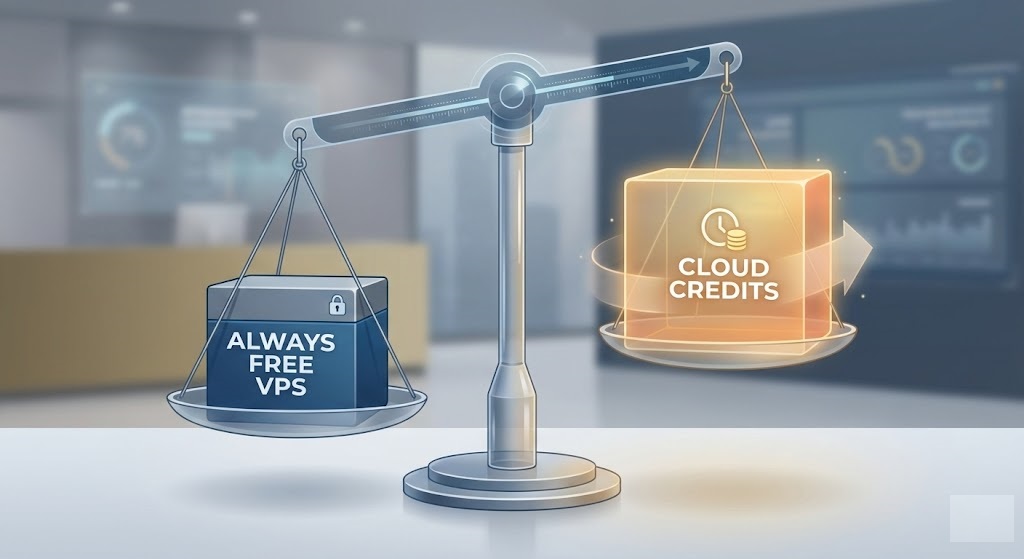
Free VPS Tiers vs. Promotional Cloud Credits: A 2026 Comparison
When searching for free cloud hosting, you will inevitably encounter two very different types of offers: the “Always Free” tier and the “Free Credit” trial.
To the untrained eye, $200 in free credits might look superior to a tiny micro-server. However, choosing the wrong model for your specific needs can lead to unexpected data loss or surprise bills down the road.
In this guide, we break down the mechanics of these two models to help you decide which one fits your project—whether you are hosting a permanent personal blog or spinning up a temporary high-performance cluster.
Understanding the Two Main Models
Before signing up, it is crucial to understand that cloud providers use these offers for different reasons.
What is an “Always Free” VPS?
An “Always Free” offer allows you to run specific, usually low-power services indefinitely. There is no expiration date on the resource itself, provided you stay within strict hardware limits (e.g., 1 GB RAM, 10 GB Storage).
How do Cloud Credits work?
Cloud credits are a monetary balance (e.g., $100 or $300) applied to your account. You can use these credits to “buy” any service the provider sells—including powerful 64-core servers or premium load balancers. However, once the money runs out or the time limit expires (usually 30 to 90 days), the server is suspended unless you pay.
Pros and Cons of “Always Free” Instances
The Strategy: Best for “set it and forget it” projects that require long-term uptime but low processing power.
Pros:
- Longevity: Your server IP and data remain active for years.
- Predictability: You know exactly what resources you have; no timer is ticking.
- Perfect for: VPNs, personal websites, Discord bots, and lightweight APIs.
Cons:
- Weak Hardware: You are often limited to shared CPUs and minimal RAM.
- No Scaling: If your project goes viral, the server will crash.
- Reclamation Policies: If you don’t use the CPU, some providers (like Oracle) may reclaim the instance.
Pros and Cons of Credit-Based Trials
The Strategy: Best for education, short-term experiments, or testing expensive infrastructure before buying.
Pros:
- Unlimited Power: Access premium, production-grade hardware.
- Full Catalog Access: Try Kubernetes clusters, Managed Databases, and AI/ML tools.
- Real-World Speed: Experience the true performance of the provider’s network.
Cons:
- The “Time Bomb”: When the trial ends, your data is often deleted quickly.
- Bill Shock Risk: It is easy to provision a $500/month server, burn through your $100 credit in 6 days, and get charged for the rest of the month.
Comparison Table: Top Providers by Model
| Provider | Primary Model | Best Use Case |
|---|---|---|
| Oracle Cloud | Always Free | Long-term hosting (Minecraft, Web) |
| Google Cloud | Hybrid (Free Tier + Credits) | Learning standard Cloud console |
| DigitalOcean | Credit Trial (60 Days) | Short-term development / Testing |
| Linode (Akamai) | Credit Trial | Linux distro hopping & testing |
| AWS | 12-Month Free Tier | Learning AWS ecosystem |
Which Option Should You Choose?
Choose “Always Free” If:
You need a place to host your portfolio website, a resume page, or a personal VPN. You don’t want the hassle of migrating your data every two months. You are comfortable optimizing your code to run on limited RAM.
Choose “Cloud Credits” If:
You are a student or developer wanting to learn how to manage a Kubernetes cluster, or you need to compile a large codebase that requires 8+ vCPUs for a few hours. Credits are also excellent for “Performance Benchmarking”—testing how a provider handles traffic before you commit to a contract.
FAQ: Managing Cloud Costs
Can I combine Free Tiers and Credits?
Yes. Providers like Google Cloud and Azure often give you a credit bonus upon signup and access to the Always Free tier. The smart move is to use the credits to test expensive features, then settle into the Free Tier for long-term hosting.
What is “Bill Shock” and how do I avoid it?
“Bill Shock” happens when your free credits expire, but your expensive server keeps running, charging your credit card. To avoid this, always set up a Budget Alert in your billing dashboard to email you when costs exceed $0.01.
Do credits renew?
Generally, no. Signup credits are a one-time promotional offer. However, some “Student” programs (like Azure for Students) renew their credit allowance annually as long as you remain enrolled.
Note: Always verify the specific expiration policy of any credit offer. Some expire after 30 days, others after 12 months. Neglecting the fine print is the number one cause of unexpected cloud hosting bills. Read More