

What Is a VPS? The Complete 2026 Beginner’s Guide to Virtual Private Servers

Choosing the right hosting environment is one of the most impactful decisions for any developer, business owner, agency, or SaaS founder. In 2026, one technology continues to dominate the performance-per-dollar category: the Virtual Private Server (VPS).
A VPS acts as your own dedicated server — isolated CPU, RAM, storage, root access, custom operating systems, and full control — but at a fraction of the cost of dedicated hosting. This is why VPS hosting has become the backbone of modern digital infrastructure powering:
- Websites & high-traffic blogs
- APIs and microservices
- Automation systems & bots
- Game servers & voice servers
- VPN & proxy networks
- AI workloads & model serving
- eCommerce stores & learning platforms
- Micro-SaaS applications
1. What Is a VPS?
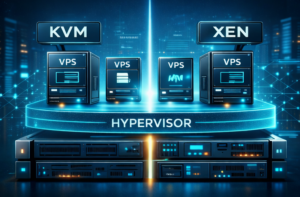
A VPS (Virtual Private Server) is a virtualized server running inside a powerful physical machine. Using a hypervisor, one physical server is divided into multiple isolated virtual servers. Each VPS gets dedicated resources, root access, its own OS, and behaves like a standalone dedicated server.
Simple Explanation
A VPS = your own private server inside a bigger server. You don’t share performance, you only share the physical hardware.
Technical Explanation
A VPS is provisioned using a hypervisor such as KVM, Xen, or VMware. The hypervisor allocates:
- vCPUs (virtual CPU cores)
- Dedicated RAM
- Independent kernel-level virtualized environment
- NVMe/SSD storage blocks
- Private networking stack
This ensures complete isolation. Your workloads do NOT interact with other users on the same host.

2. How VPS Hosting Works (Architecture Breakdown)
To understand why VPS hosting is so powerful, here’s the simplified architecture:
- Physical Host Server — a powerful machine (multiple CPUs, 256–1024GB RAM, NVMe arrays)
- Hypervisor — the virtualization layer (KVM recommended in 2026)
- Virtual Private Servers — isolated OS environments
- Networking Layer — dedicated IP, firewall, routing
This creates a stable, sandboxed environment where apps and websites run without interference.
Why KVM is the 2026 Standard
KVM provides:
- Full virtualization (not container-based)
- Better isolation
- Support for all major Linux distros
- Direct hardware virtualization
- Improved CPU passthrough and I/O performance
3. Types of VPS Hosting
3.1 Managed VPS
The hosting provider handles:
- Server updates
- Firewall configuration
- Security monitoring
- Automatic backups
3.2 Unmanaged VPS
You manage everything manually:
- Install software
- Configure firewalls
- Manage updates
- Monitor performance
Developers and advanced users often prefer unmanaged VPS for full control.
4. VPS Hardware Components That Matter in 2026
A reliable VPS is only as good as its underlying hardware. Here are the key components:
4.1 CPU (vCores)
Modern VPS servers use AMD EPYC or Intel Xeon scalable processors. Look for:
- High clock speeds (3.0GHz+)
- EPYC 7xx2 / 9xx4 series
- 100% dedicated vCores
4.2 RAM
DDR4 & DDR5 ECC RAM ensures stability and performance consistency.
4.3 NVMe Storage
NVMe delivers 10x faster IOPS than SSDs. It is essential for:
- Databases
- WordPress
- APIs
- Large file operations

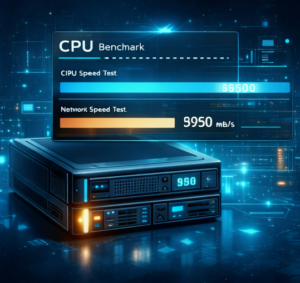
5. VPS Benchmarking (Real Performance Testing)
To verify performance, run these commands:
CPU Benchmark
sysbench cpu --cpu-max-prime=20000 runDisk Speed Test
fio --name=seqwrite --size=2G --rw=write --bs=1M --numjobs=1Network Speed Test
curl -s https://raw.githubusercontent.com/sivel/speedtest-cli/master/speedtest.py | python36. VPS Use Cases in 2026
Here are the most common and profitable VPS use cases today:
- Host WordPress / WooCommerce
- Run SaaS apps
- Host APIs
- Deploy VPN or proxy servers
- Automate social media tools
- Scraping / crawler automation
- Game servers (FiveM, Minecraft, Rust)
- AI inference workloads
7. VPS Security Essentials
Firewall Setup
ufw allow 22
ufw allow 80
ufw allow 443
ufw enable
SSH Hardening
nano /etc/ssh/sshd_config
PasswordAuthentication no
PermitRootLogin no
Fail2Ban Install
apt install fail2ban -y8. VPS vs Shared Hosting vs Dedicated Servers
Here is the real comparison:
- Shared Hosting: Cheapest, lowest performance, limited control.
- VPS Hosting: Best balance of power, price, and control.
- Dedicated Server: Most powerful, most expensive.
9. Common VPS Mistakes Beginners Make
- Not enabling a firewall
- Running everything as root
- No automated backups
- Choosing outdated hardware (HDD/old CPU)
- Misconfiguring Nginx/Apache/PHP
10. Final Conclusion
A Virtual Private Server is now the default hosting environment for anyone serious about performance, reliability, scalability, or customization. Whether you’re building a startup, hosting a high-traffic site, or deploying automation tools, VPS hosting delivers the perfect combination of power and affordability.
If you’re exploring the VPS world, this guide gives you everything needed to make confident, technical, long-term decisions.
Written for gratisvps.net — 2026 Edition Read More At LinkedIn Article