KVM Hardware Isolation Map
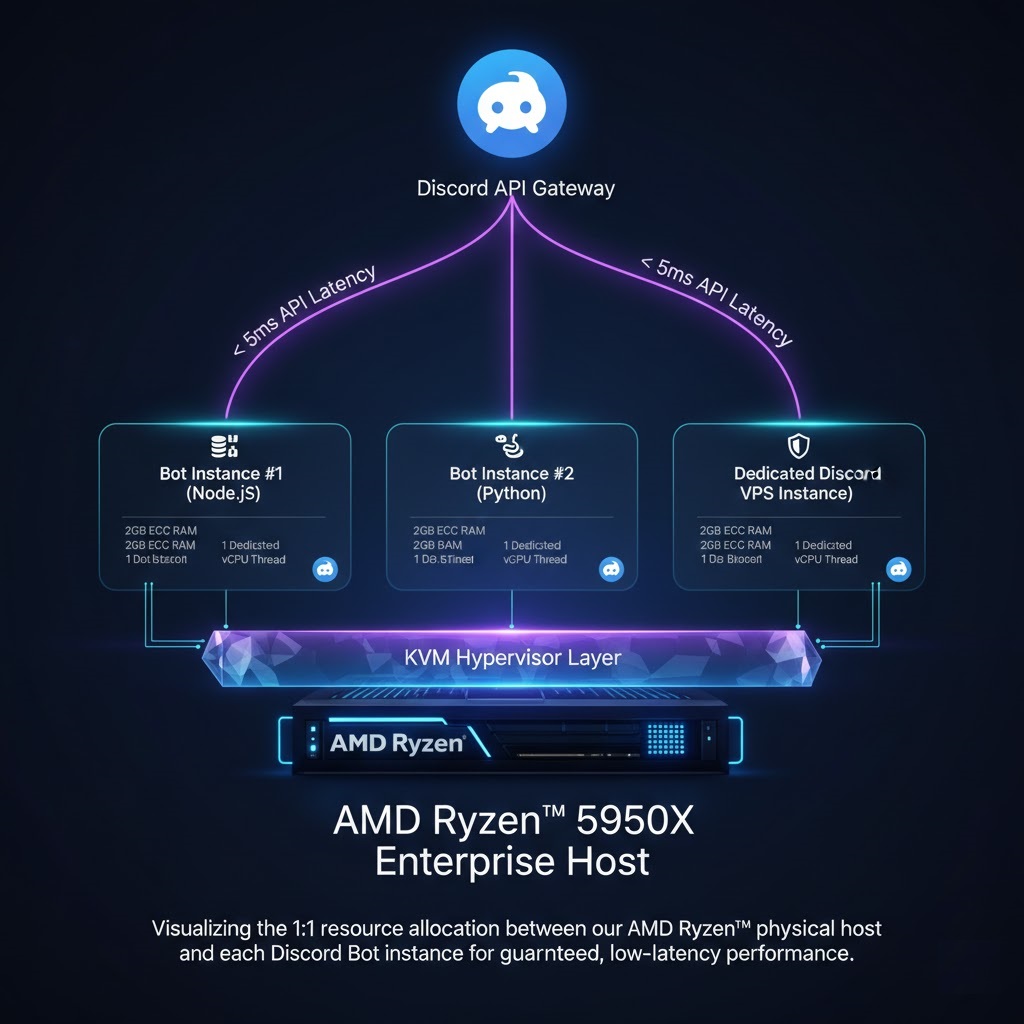
Visualizing the 1:1 resource allocation between our AMD Ryzen™ host and your Discord Bot instance.
Keep your community active with 24/7 dedicated hosting. Our Free VPS Server for Discord is optimized for Node.js, Python, and Java. No credit card, no sleep mode—just pure performance.
UPTIME GUARANTEE
FULL ISOLATION
ACTIVE MONITORING
Ryzen™ Boost Clock
Eliminate command latency spikes.
RAID-10 Storage
Sub-millisecond database read/write.
Server-Grade RAM
100% reserved and isolated for your bot.
Visualizing the 1:1 resource allocation between our AMD Ryzen™ host and your Discord Bot instance.
Most free providers "sleep" your bot after 30 minutes of inactivity. Our Free VPS Server for Discord uses KVM virtualization to ensure your bot never goes offline. Your code stays active in a dedicated Linux environment, responding to commands instantly.
Node.js
Python
Java (JDA)
MySQL/PostgreSQL
Choose the resources required for your bot's scale.
Our global network is optimized for sub-millisecond API response times.
< 5ms
Virginia Hub
< 12ms
Frankfurt Hub
< 25ms
Singapore Hub
99.9%
Packet Delivery
Unlike "Container" based free hosting (Docker/OpenVZ), our Free VPS Server for Discord utilizes Full KVM Virtualization. Each instance runs its own isolated kernel, meaning your bot's memory space is encrypted and physically separated from other users. This prevents "Websocket Disconnects" caused by kernel panics or resource spikes on other users' bots.
Manage your bot's lifecycle without complex terminal commands.
We stay updated with the latest Discord API changes. Our infrastructure is tuned to handle the intense websocket traffic required by the modern Discord Interaction system.
Once you log in via SSH, use the following commands to ensure your bot restarts automatically if the server reboots.
Once you access your root SSH terminal, run this command to install the latest Node.js and PM2 to keep your bot active 24/7.
Yes. Unlike Heroku or "Container" trials, we do not put your VPS to sleep after inactivity. Your bot stays active in its own isolated environment forever.
Absolutely. With full root access, you can run sudo apt install ffmpeg to handle audio processing and music streaming on our high-speed network.
Yes. Your 2GB RAM allocation is dedicated to your instance. You can run as many scripts (PM2 instances) as your resources allow.
Yes, every Discord VPS node includes a dedicated, static IPv4 address. This is perfect for setting up dashboards or incoming webhooks.